
Want to grow your YouTube channel faster? The secret isn’t just getting more views – it’s keeping viewers watching. Watch time is YouTube’s most important ranking signal, and mastering it can transform your channel’s performance.
YouTube watch time measures the total minutes people spend watching your videos. The more watch time you accumulate, the more YouTube’s algorithm promotes your content to new viewers. It’s that simple: longer watch time equals more visibility, which leads to more subscribers and better monetization opportunities.
But here’s the good news: increasing your YouTube watch time isn’t about luck or going viral. It’s about understanding what keeps viewers engaged and applying proven strategies that work.
In this comprehensive guide, you’ll learn exactly how to increase YouTube watch time with 12 actionable strategies used by successful creators. Whether you’re just starting out or looking to take your channel to the next level, these tactics will help you keep viewers watching longer and signal to YouTube that your content deserves more reach.
Let’s dive in and start building the watch time your channel needs to succeed! 🎥
Table of Contents
- What is YouTube Watch Time and Why Does It Matter?
- Watch Time vs. Average View Duration
- How to Check Your Watch Time in YouTube Analytics
- 12 Strategies to Increase YouTube Watch Time
- FAQs about YouTube Watch Time
What is YouTube Watch Time and Why Does It Matter?
YouTube watch time is the total amount of time (measured in minutes or hours) that viewers spend watching your videos. It’s one of the most critical metrics YouTube uses to evaluate your content and determine how widely to distribute it across the platform.
Why Watch Time is So Important
- Algorithm ranking: YouTube prioritizes videos with high watch time in search results, suggested videos, and recommendations
- Channel growth: More watch time signals that your content is valuable, leading to more exposure
- Monetization requirements: You need 4,000 public watch hours in the past 12 months to qualify for the YouTube Partner Program
- Viewer satisfaction: High watch time indicates people find your content engaging and worth their time
📌 The bottom line: YouTube wants to keep people on the platform as long as possible. When your videos accumulate significant watch time, YouTube rewards you by showing your content to more people.
YouTube Watch Time vs. Average View Duration: Know the Difference
While YouTube watch time and average view duration are related, they measure different things:
Watch Time (Total Watch Time):
- The cumulative minutes viewers spend watching your videos
- Example: 100 people watch your 10-minute video halfway through = 500 minutes of watch time
- Measured in total minutes or hours
Average View Duration (AVD):
- The average amount of time an individual viewer watches before clicking away
- Example: Same scenario as above = 5-minute average view duration
- Measured per video view
Both metrics matter, but for different reasons:
- Watch time determines how YouTube ranks and promotes your videos
- Average view duration helps you understand how engaging your content is to individual viewers
The ideal scenario? High watch time from lots of viewers who each watch a significant portion of your video. This combination tells YouTube your content is both popular and engaging.
How to Check Your Watch Time in YouTube Analytics
Tracking your YouTube watch time is essential for understanding what’s working and what needs improvement.
To check your overall channel watch time:
- Go to YouTube Studio (studio.youtube.com)
- Click Analytics in the left sidebar
- Look at the Overview tab to see your total watch time for the selected period
- You can filter by date range (last 7 days, 28 days, 90 days, 365 days, or lifetime)
To check watch time for individual videos:
- In YouTube Analytics, click the Content tab
- Click on any video to see its specific performance
- Navigate to the Engagement tab
- Here you’ll see watch time, average view duration, and the retention graph
What to look for:
- Upward trends in total watch time indicate channel growth
- Videos with high watch time are your best performers, create more content like them
- Drop-off points in your retention graph show where viewers lose interest
✅ Pro Tip: Check your analytics weekly to track new video performance and monthly to identify long-term trends. Don’t obsess over daily fluctuations. Instead, focus on overall growth patterns.
12 Strategies to Increase YouTube Watch Time
Now let’s dive into the actionable strategies that will help you increase YouTube watch time and grow your channel faster 💪
1. Hook Viewers in the First 30 Seconds
The first 30 seconds of your video are make-or-break. If you don’t immediately grab attention, viewers will click away (and YouTube’s algorithm will notice).
How to create powerful video hooks:
Start with the payoff: Tell viewers exactly what they’ll learn or gain by watching. Don’t make them wait.
- ❌ Bad: “Hey guys, welcome back to my channel. Today I’m going to talk about something really cool…”
- ✅ Good: “I’m about to show you the three editing techniques that doubled my watch time in 30 days.”
Use pattern interrupts: Start with something unexpected – a bold statement, surprising statistic, or intriguing question.
Create curiosity gaps: Tease something valuable that comes later in the video.
Show, don’t tell: Instead of explaining what you’ll do, jump straight into action or show a quick result.
Cut the fluff: Eliminate long intros, channel descriptions, and unnecessary greetings. Get to the point immediately.
✅ Pro Tip: Watch your first 30 seconds with the sound off. If it doesn’t look engaging visually, it probably isn’t holding attention.
2. Create Compelling Video Intros
Your intro sets the tone for the entire video. A strong intro builds anticipation and gives viewers a reason to keep watching.
Elements of a great video intro:
- Establish credibility quickly – Why should viewers trust you?
- Set clear expectations – What will they learn or experience?
- Create momentum – Use quick cuts, energetic delivery, or compelling B-roll
- Keep it short – 15-30 seconds maximum for most content
Avoid these common intro mistakes:
- Long animated channel logos (viewers skip them)
- Asking people to “like and subscribe” before delivering value
- Generic greetings that waste time
- Overly complicated explanations
3. Optimize Your Video Pacing and Editing
Pacing is the rhythm and speed at which your content unfolds. Good pacing keeps viewers engaged; bad pacing makes them click away.
How to improve pacing:
- Cut aggressively: Remove pauses, filler words (“um,” “uh”), false starts, and tangents. Every second should serve a purpose.
- Vary your shot composition: Switch between different camera angles, close-ups, and B-roll to maintain visual interest.
Match editing to content energy:
- High-energy content (tutorials, challenges, entertainment) = Quick cuts and fast pacing
- Educational or storytelling content = Slower, more deliberate pacing with strategic cuts
Use jump cuts strategically: They speed up delivery and keep attention, but don’t overuse them.
Add B-roll and graphics: Visual variety prevents monotony. Show what you’re talking about instead of just talking.
✅ Pro Tip: Watch your video at 1.5x speed. If it still feels engaging, your pacing is probably good. If it drags, tighten your cuts.
4. Use Pattern Interrupts to Maintain Attention
Pattern interrupts are unexpected elements that “wake up” viewers and prevent them from clicking away.
Effective pattern interrupt techniques:
Visual changes:
- Switch camera angles mid-sentence
- Add sudden B-roll or screen recordings
- Use text overlays or graphics
- Change background or location
Audio changes:
- Strategic music shifts
- Sound effects at key moments
- Voice modulation (speak louder/softer for emphasis)
Content changes:
- “But here’s what nobody tells you…”
- “Wait, before I continue, you need to know this…”
- Quick tangents that relate to the main topic
Use pattern interrupts every 30-60 seconds to keep attention high throughout your video.
5. Structure Your Content for Maximum Retention
How you organize information significantly impacts whether viewers stay until the end, helping to drive increased YouTube watch time.
The retention-optimized structure:
1. Hook (0-30 seconds): Grab attention and promise value
2. Preview (30 seconds – 1 minute): Briefly outline what’s coming without giving everything away
3. Main content (middle section):
- Deliver on your promise
- Use numbered lists or step-by-step formats
- Build progressively (save your best point for later)
4. Payoff (final third):
- Deliver your strongest insight or most valuable information
- This is why viewers should watch until the end
5. Call-to-action (last 10-20 seconds):
- Suggest another video or playlist
- Ask for engagement (like, comment, subscribe)
Content structure tips:
- Front-load value but save something great for the end
- Create loops by referencing earlier points later in the video
- Tease what’s coming to create anticipation
6. Use Music Strategically to Enhance Engagement
Music is one of the most underrated tools for increasing YouTube watch time. The right soundtrack enhances emotion, maintains energy, and signals to viewers when something important is happening.
How music improves watch time:
- Sets the mood: Background music makes your video feel more professional and engaging
- Maintains energy: Upbeat music during fast-paced sections keeps momentum
- Creates emotional impact: Music underscores important moments and enhances storytelling
- Provides audio variety: Changing music tracks works as a pattern interrupt
- Signals transitions: Different music cues viewers that you’re moving to a new topic
Strategic music tips:
- Match music to content: Energetic music for fast-paced content, calm music for explanations
- Use music transitions: Fade out music during key points you want viewers to focus on
- Layer music appropriately: Keep music volume lower during talking, higher during B-roll
- Change tracks every 2-3 minutes: New music refreshes attention
- Build to climaxes: Increase music intensity as you build to important points
✅ Pro Tip: Export your video without music first, watch it, and identify sections that feel flat or boring. Those are the sections where strategic music will have the biggest impact.
Protect Your YouTube Watch Time with Copyright-Safe Music
Here’s something many creators don’t realize: using copyrighted music can destroy your watch time.
When you get hit with a copyright claim for unlicensed music, YouTube can:
- Mute portions of your video (killing watch time instantly)
- Block your video in certain countries (reducing total views and watch time)
- Place ads on your video that benefit someone else (hurting viewer experience and your revenue)
Even worse, if you have to re-edit old videos to remove copyrighted music, you lose all the watch time those videos accumulated. It’s like starting from zero.
This is where Thematic becomes essential for serious creators.
Thematic provides thousands of high-quality, copyright-safe music tracks specifically curated for content creators. Every song is cleared for use on YouTube, TikTok, Instagram, and all major platforms – no copyright claims, no Content ID issues, no monetization problems.
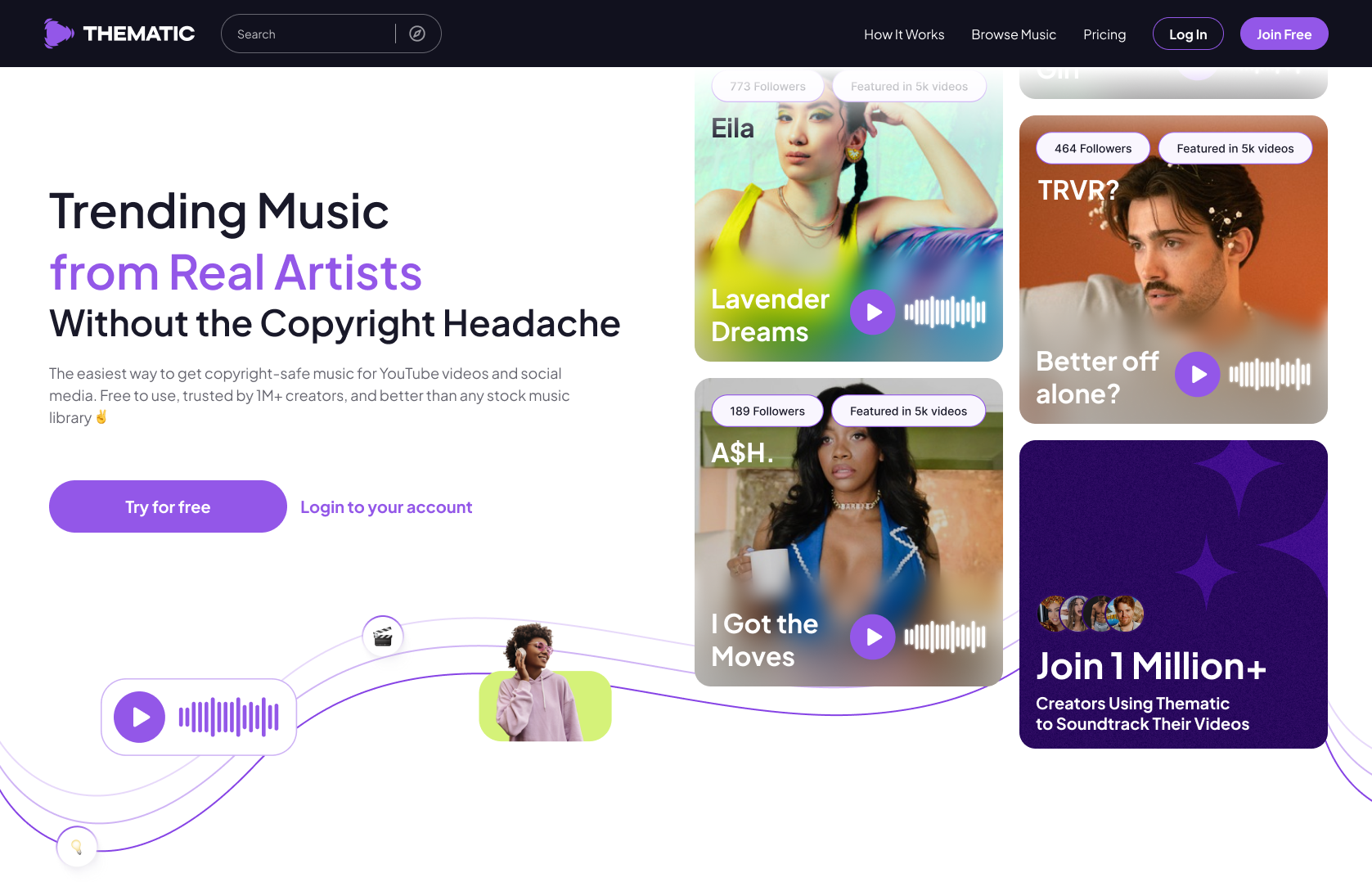
Why creators choose Thematic for YouTube videos:
- ✔️ 100% copyright-safe music – Never worry about claims, strikes, or videos getting muted
- ✔️ Keep your videos monetized – No unexpected ads from music copyright holders
- ✔️ Save hours in editing – Quick, easy music search and download with organized playlists
- ✔️ Trending music from real artists – Not generic stock music, but actual songs people want to hear
- ✔️ Free for creators – Start using Thematic at no cost
When you use copyright-safe music from Thematic, you protect your YouTube watch time investment. Every video you create continues performing and accumulating watch time without the risk of copyright issues derailing your hard work.
Your watch time is too valuable to risk on unlicensed music. Make the smart choice and use Thematic to soundtrack your videos safely.
7. Add Chapters to Improve Navigation
YouTube chapters (also called timestamps) let viewers jump to specific sections of your video. While this might seem counterintuitive for watch time, chapters actually increase total watch time when used correctly.
Why chapters help YouTube watch time:
- Viewers are more likely to watch some of a long video with chapters than none of it
- Chapters signal organization and value
- Viewers who skip to relevant sections often watch multiple chapters
- YouTube’s algorithm favors videos with chapters in search results
How to add video chapters on YouTube:
- Add timestamps in your video description
- Start with 0:00 for the intro
- Include at least 3 chapters, each 10+ seconds long
- Make chapter titles descriptive and keyword-rich
Example:
0:00 - Introduction
0:35 - Why Watch Time Matters
2:15 - Hook Viewers in 30 Seconds
5:40 - Optimize Your Pacing
8:20 - Strategic Music for Engagement
✅ Pro Tip: Make your chapter titles intriguing so viewers want to watch multiple sections, not just skip to one part.
8. Create Engaging End Screens and Cards
End screens and cards encourage viewers to keep watching your content after the current video ends – directly extending your channel’s total YouTube watch time.
End screens best practices:
Use in the last 5-20 seconds of your video
Verbally direct viewers – Don’t just add the graphic, tell them what to watch next
Feature your best-performing content – Link to videos with high retention
Use compelling thumbnails – Make the suggested videos look irresistible
Create a sense of continuation – “Part 2,” “The next step,” “Here’s what happened next”
YouTube Cards:
- Add cards at strategic moments when mentioning related content
- Don’t overuse cards (they can be distracting)
- Link to videos that naturally extend the current topic
9. Build Playlists to Keep Viewers Watching
Playlists are one of the most underutilized watch time strategies. When someone starts watching a playlist, YouTube automatically plays the next video, generating passive watch time.
How to create effective playlists:
Group related content: Create playlists for specific topics, series, or content types
Order strategically: Put your best, most engaging videos first to hook viewers into the playlist
Name playlists for search: Use clear, keyword-rich titles like “Complete YouTube Growth Course”
Add playlists to your channel homepage: Feature them prominently
Link to playlists in end screens: Instead of linking to individual videos, link to playlists
👉 When viewers watch multiple videos in a row through playlists, your total watch time multiplies exponentially.
10. Match Video Length to Your Content Type
There’s no perfect video length, but there is a perfect length for your specific content and audience.
General video length guidelines:
Short-form (1-5 minutes):
- Quick tips and hacks
- Reactions and commentary
- Product reviews
Medium-form (5-15 minutes):
- Tutorials and how-tos
- Listicles (Top 10s, etc.)
- Most standard YouTube content
Long-form (15+ minutes):
- In-depth tutorials
- Podcast-style content
- Deep dives and analysis
How to find your ideal video length:
- Check your analytics for your best-performing videos
- Look at average view duration percentages (not just minutes)
- Notice where viewers consistently drop off
- Test different lengths and compare retention
🏆 The golden rule: Your video should be as long as it needs to be to deliver value, and not one second longer.
11. Analyze Your Retention Graph
Your retention graph is your roadmap to better watch time. It shows exactly where viewers lose interest and where they stay engaged.
How to read your retention graph:
- Go to YouTube Analytics → Content → Select a video → Engagement tab
- Look at the audience retention graph
- Identify key patterns:
Steep drops: Viewers are leaving quickly, something isn’t working
Gradual decline: Normal pattern (most videos lose viewers steadily)
Spikes: Viewers are rewatching or seeking to this moment – you did something right
Flat sections: Strong retention, viewers are engaged
Common drop-off points and fixes:
Drop at 0:00-0:30: Your hook isn’t strong enough ➡️ rewrite your intro
Drop after intro: You’re not delivering on your promise quickly enough ➡️ cut fluff
Drop in the middle: Pacing is slow or content is boring ➡️ tighten editing
Drop before the end: Viewers got what they needed ➡️ add a strong reason to watch until the end
How to use retention insights:
- Study your best-performing videos and replicate what works
- Identify your worst-performing sections and avoid those patterns
- Test changes to problematic sections in future videos
- Compare retention across similar videos to find patterns
12. Tell Better Stories
Even if your content isn’t narrative-based, storytelling techniques keep viewers watching.
Storytelling elements that boost retention:
Create tension: Present a problem before the solution
Use the three-act structure:
- Setup: Introduce the topic or problem
- Confrontation: Explore challenges or build complexity
- Resolution: Provide the answer or conclusion
Add personal anecdotes: Real stories create emotional connection
Build anticipation: “Wait until you see what happens next…”
Use open loops: Reference something you’ll explain later
Show transformation: Before and after, problem to solution
Example of storytelling in a tutorial:
Instead of: “Here’s how to edit faster…”
Try: “I used to spend 6 hours editing a 10-minute video. I was exhausted and almost quit YouTube. Then I discovered these three techniques that cut my editing time in half. Here’s what changed…”
Stories create emotional investment. When viewers care, they watch longer.
YouTube Watch Time FAQs
Have questions about increasing your YouTube watch time? Here are answers to the most common questions creators ask about watch time, retention, and growing their channels.
What is a good watch time for YouTube videos?
There’s no universal “good” watch time because it varies by video length and content type. Instead, focus on audience retention percentage:
- 40-50% retention: Average for most videos 👍
- 50-60% retention: Good, your content is engaging 💪
- 60%+ retention: Excellent, you’re doing something right 🏆
For total channel watch time, focus on growth trends rather than absolute numbers. If your watch time is increasing month-over-month, you’re heading in the right direction.
How long does it take to get 4,000 watch hours on YouTube?
The time varies dramatically based on your upload frequency, video length, and view count:
- Posting weekly 10-minute videos: Could take 1-2 years
- Posting daily content: Could achieve in 6-12 months
- Viral video: Could happen in weeks or days
The average creator takes 12-18 months to reach 4,000 watch hours, but consistent, engaging content can accelerate this significantly.
Does YouTube count repeat views for watch time?
Yes! YouTube counts all legitimate watch time, including when the same person watches your video multiple times. However, excessive rewatching from the same user (like playing on repeat) may be flagged as spam.
Do YouTube Shorts count toward the 4,000 watch hours?
No. As of now, watch time from YouTube Shorts does not count toward the 4,000 watch hours needed for the YouTube Partner Program. However, Shorts have a separate monetization path requiring 10 million Shorts views in 90 days.
Can I buy YouTube watch time?
No – never buy watch time. YouTube’s systems detect artificial watch time from bots or click farms and will:
- Remove the fake watch time
- Potentially strike or terminate your channel
- Disqualify you from monetization
Focus on organic growth with quality content. It takes longer but builds a sustainable channel.
Does the YouTube algorithm prefer longer videos?
Not exactly. YouTube’s algorithm prefers videos that keep viewers watching and keep them on YouTube afterward. A 5-minute video with 80% retention and strong click-through to other videos can outperform a 30-minute video with 30% retention.
That said, longer videos have potential for more watch time if retention stays strong.
How does watch time affect monetization?
Watch time affects monetization in two ways:
- Eligibility: You need 4,000 public watch hours in the last 12 months to join the YouTube Partner Program
- Revenue: Videos with higher watch time generate more ad impressions, potentially increasing ad revenue
High watch time also improves your ranking, leading to more views and more revenue opportunities.
Start Increasing Your YouTube Watch Time Today ⏰
Increasing your YouTube watch time isn’t about tricks or shortcuts – it’s about creating genuinely engaging content that people want to watch.
📋 Here’s Your Action Plan
- Audit your current watch time in YouTube Analytics
- Identify your retention weak spots using the retention graph
- Pick 3 strategies from this guide to implement in your next video
- Hook viewers in the first 30 seconds – Start here, it has the biggest impact
- Use copyright-safe music from Thematic to keep your videos performing long-term
- Test and iterate – Watch time improvement is a continuous process
👉 Remember: Every successful YouTube channel started at zero watch hours. The difference between channels that grow and channels that stagnate is simple: consistent, strategic improvement.
You now have 12 proven strategies to increase your YouTube watch time. The only question is: which one will you implement first?
Start applying these tactics today, track your results, and watch your channel grow faster than you thought possible. You’ve got this! 🚀
Ready to protect your watch time with copyright-safe music? Join Thematic for free and never worry about copyright claims again.
Looking for more free creator tools and resources? Visit Thematic’s Creator Toolkit for additional resources on creating content – including thumbnail and channel art templates, best practices, and of course, great royalty free songs to use in your videos for free with Thematic.

This guide on How to Increase Your YouTube Watch Time is brought to you by Thematic Co-Founder & COO Audrey Marshall
With a background in entertainment PR (via Chapman University), Audrey has led digital strategy for music artists, content creators, and brands. From brand campaigns for Macy’s, American Cancer Society, and the L’Oréal luxe family of brands, to music-driven influencer marketing campaigns for Interscope Records, Warner Music, AWAL, and Taboo of the Black Eyed Peas (featuring creators such as Lexy Panterra, Blogilates, Mandy Jiroux, Matt Steffanina, and Seán Garnier), she is an expert in navigating the influencer marketing space. Audrey has also developed and managed some of the leading beauty, lifestyle, and dance channels on YouTube.
Certified across the board with YouTube, Audrey has a specific focus on digital rights management for music assets, running multiple SRAV-enabled CMS. She is passionate about working with other builders in the space for a more transparent digital rights ecosystem.
At Thematic, Audrey leads the product team and oversees operations. She has driven partnerships with leading talent and music companies, including Songtrust, Kobalt/AWAL, Select Management, BBTV, ipsy, and Black Box, and has helped the platform grow to a thriving community of 1M+ content creators who have posted 1.6M+ videos using the platform, driving 60B+ music streams and $120M+ in earned media value for independent music artists.